Sync SKAN Mapping
This feature is only available for iOS applications, as it is related to SKAN attribution protocol.
Overview
Appstack can automatically fetch your SKAdNetwork (SKAN) conversion value schemas from Google Ads and Meta Ads. This allows us to correctly translate the conversion values you receive into their corresponding in-app events.
The setup varies depending on which ad networks you use. We'll guide you through each scenario.
If you have previously used an MMP and it remains connected to your Ad Network's SKAN configurations, please deactivate it through the MMP dashboard.
Quick Start
Choose your setup:
- Google Ads only — Easiest path. Automatic import with no extra configuration.
- Meta Ads only — Requires enabling SKAN configuration in Meta's dashboard.
- Google + Meta — Import from both and validate compatibility.
- TikTok — Requires manual mapping until TikTok provides API access.
Google Ads Only
If you only use Google Ads, the import is straightforward. Appstack will fetch your SKAN configuration directly from Google Analytics.
Steps to Access SKAN Config in Google Analytics
-
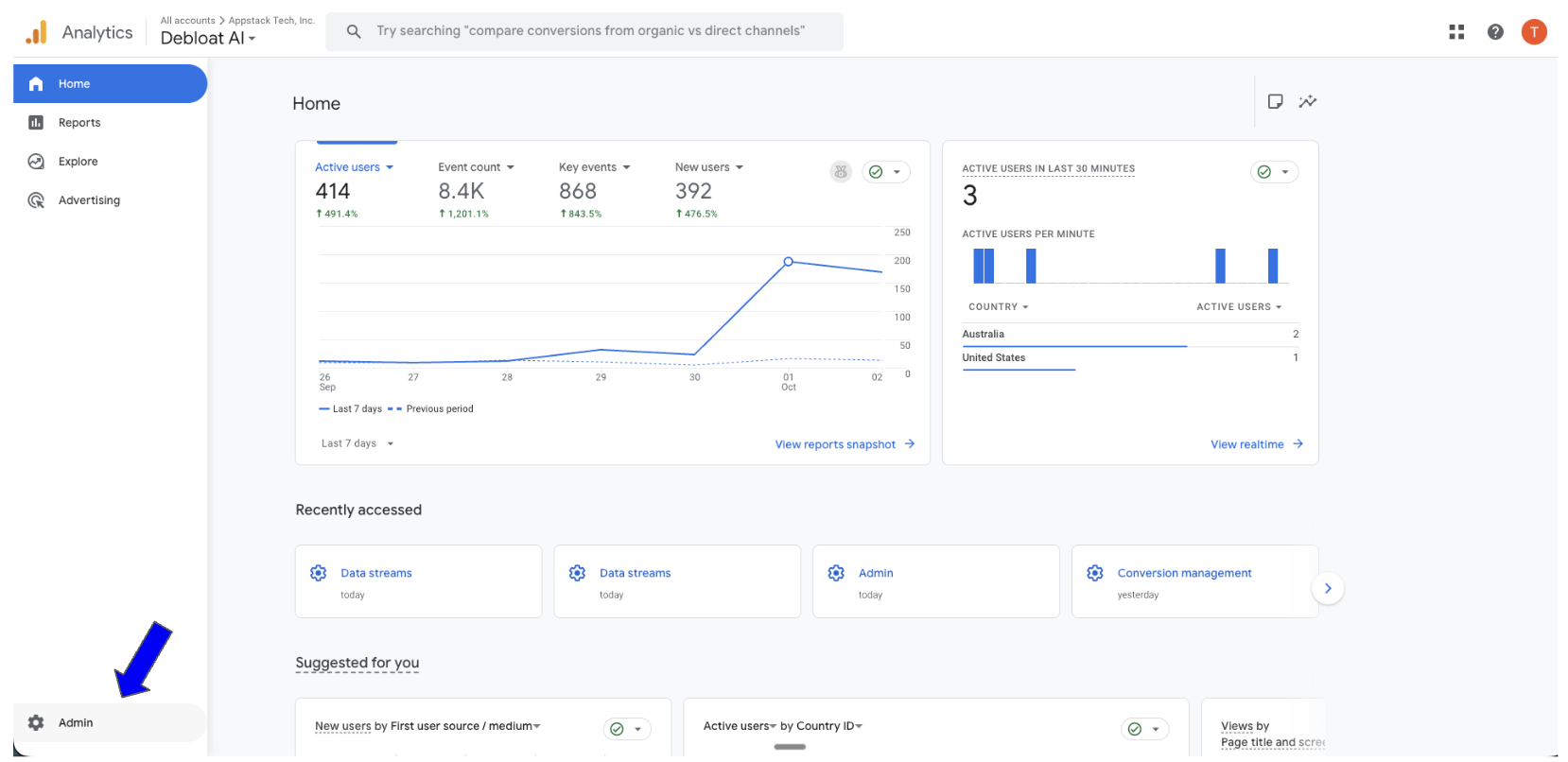
Click Admin in the bottom left corner
-
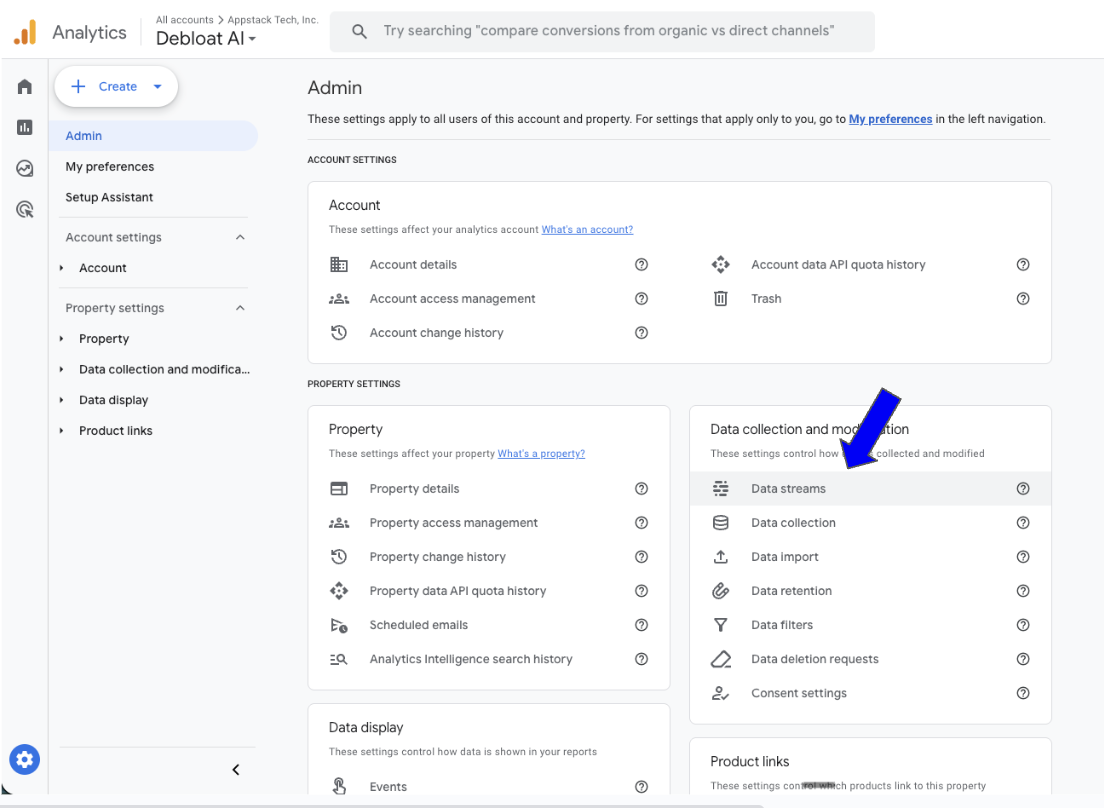
Click Data Streams
-
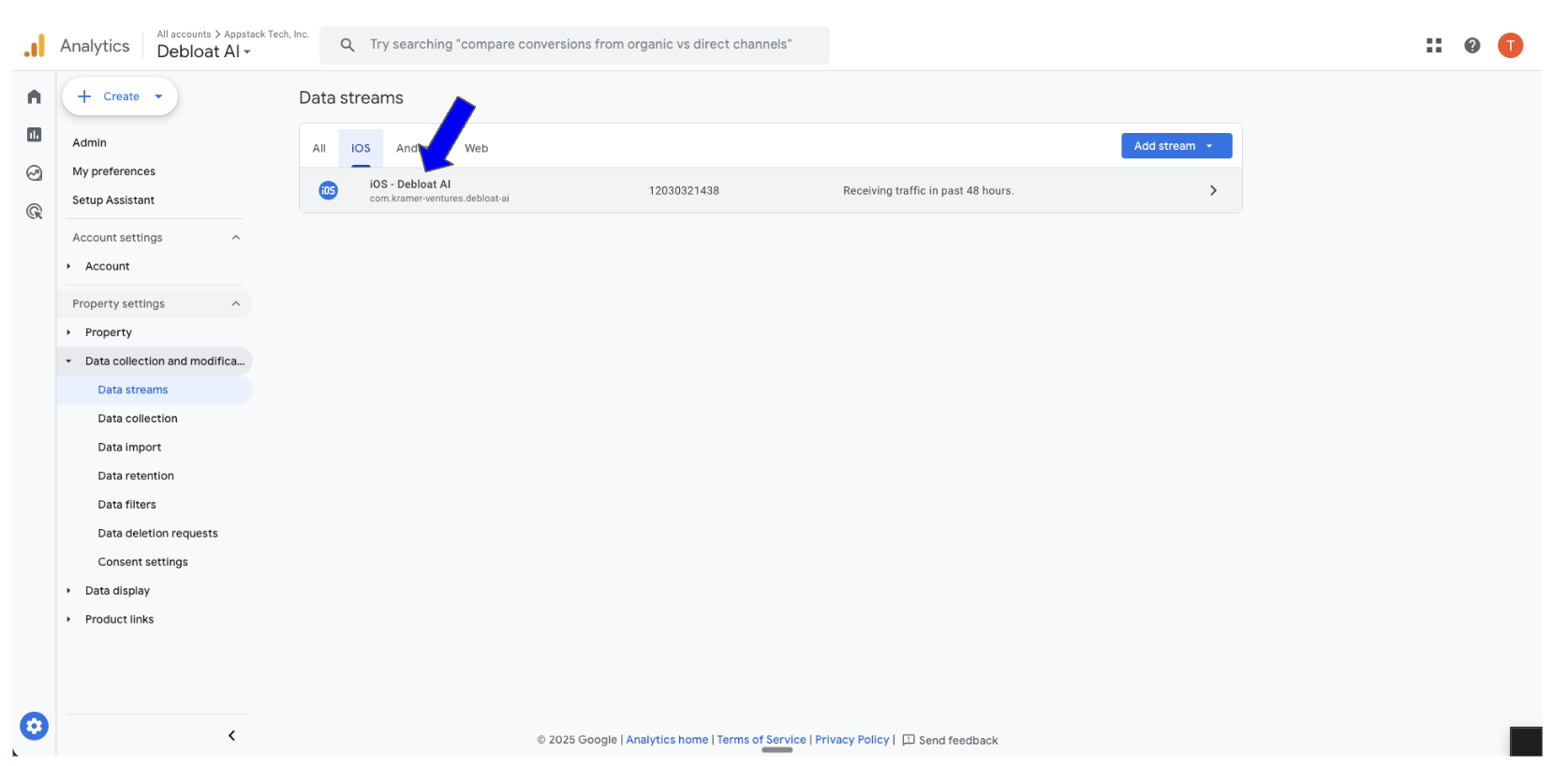
Select the appropriate app
-
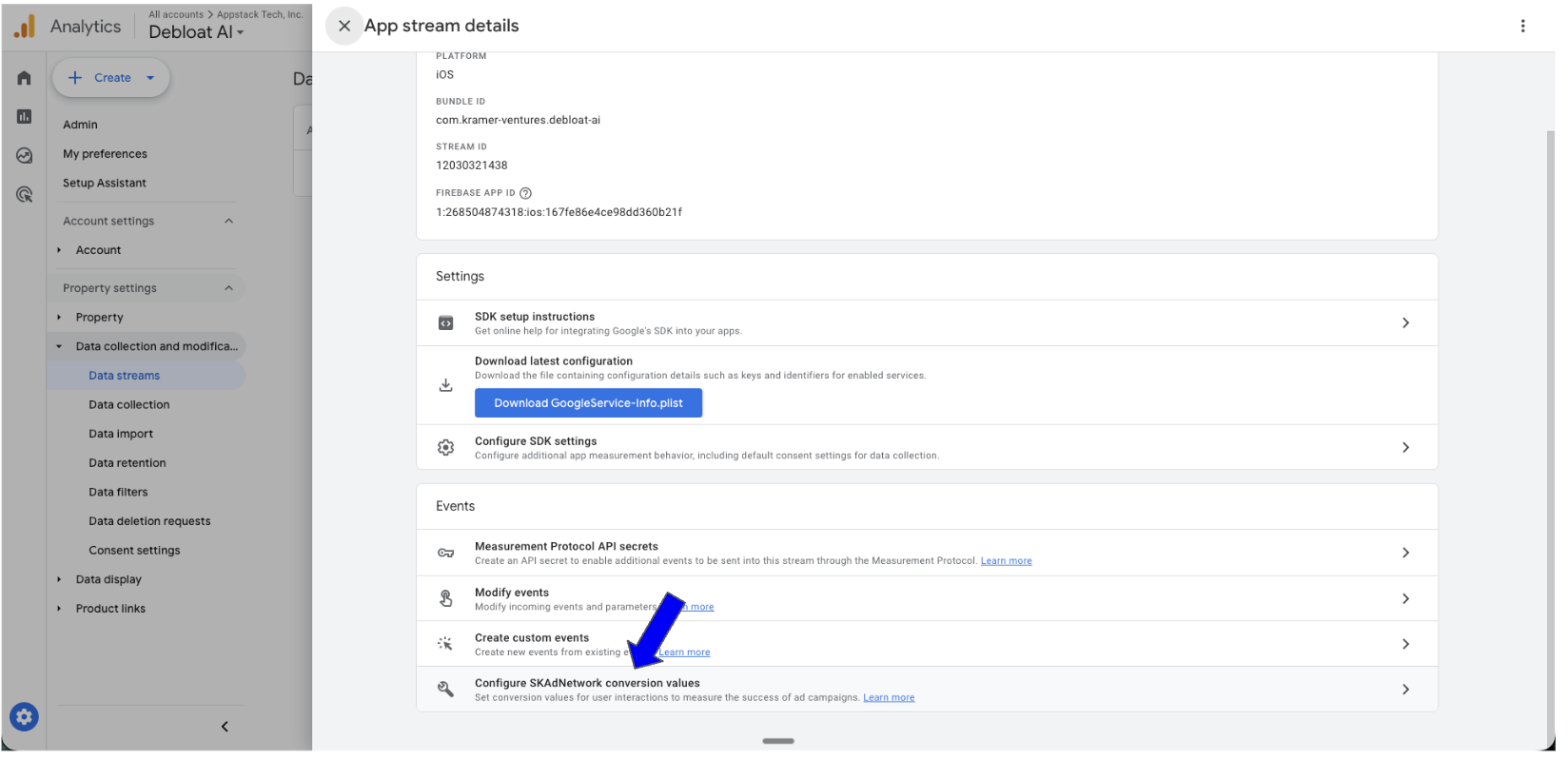
Click on "Configure SKAN conversion values"
-
Update the SKAN conversion values as needed
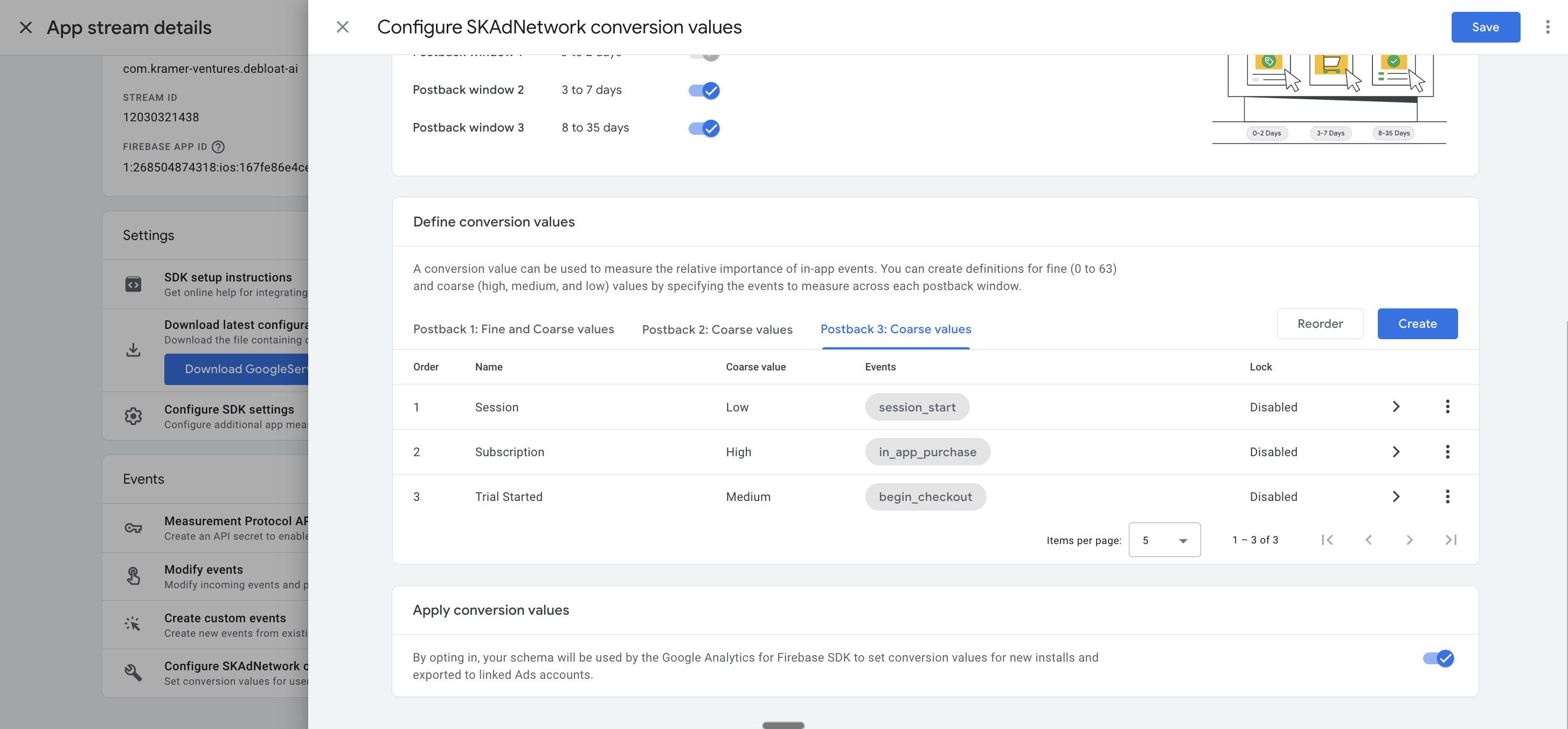
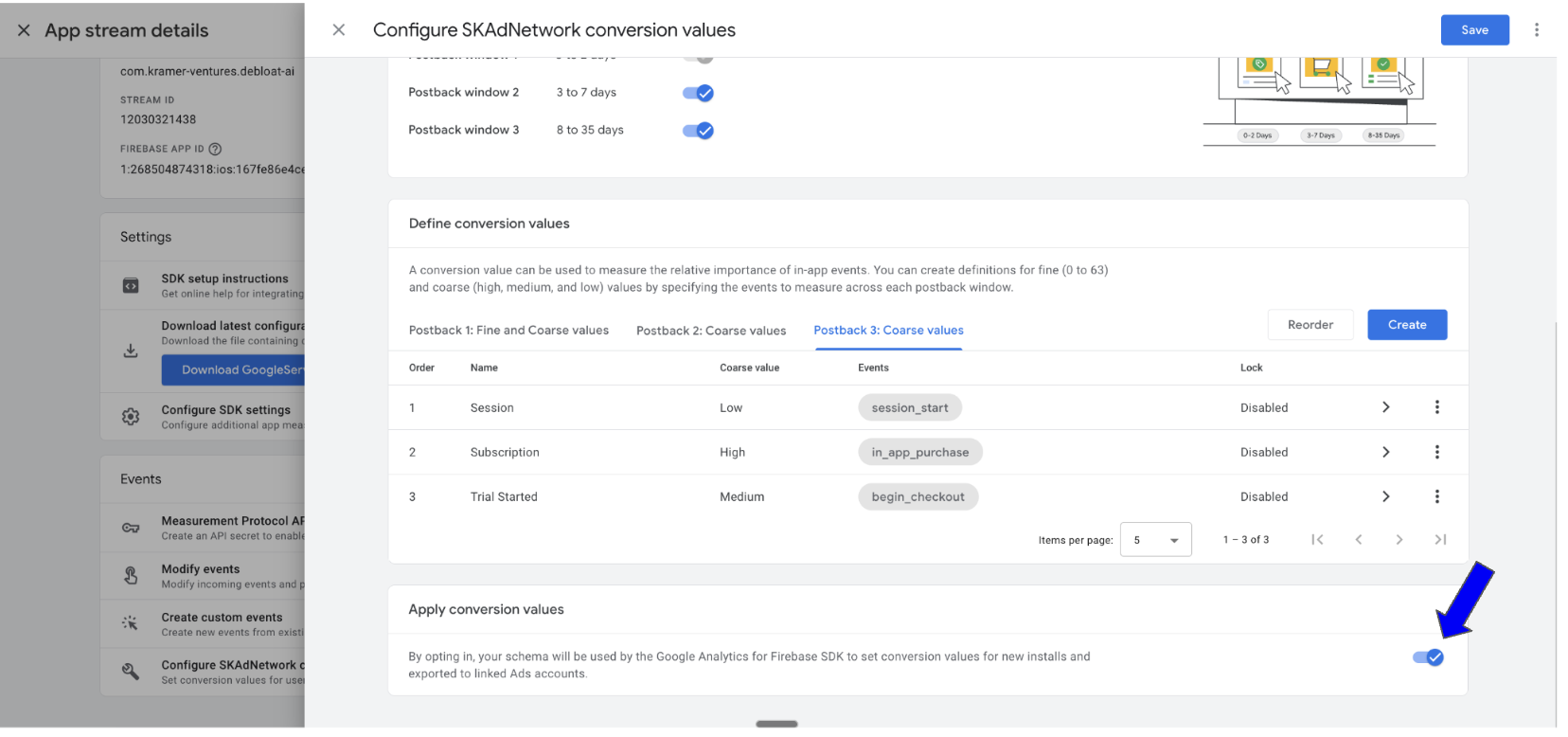
- Activate the update of the SKAN conversion values using the Firebase SDK
Meta Ads Only
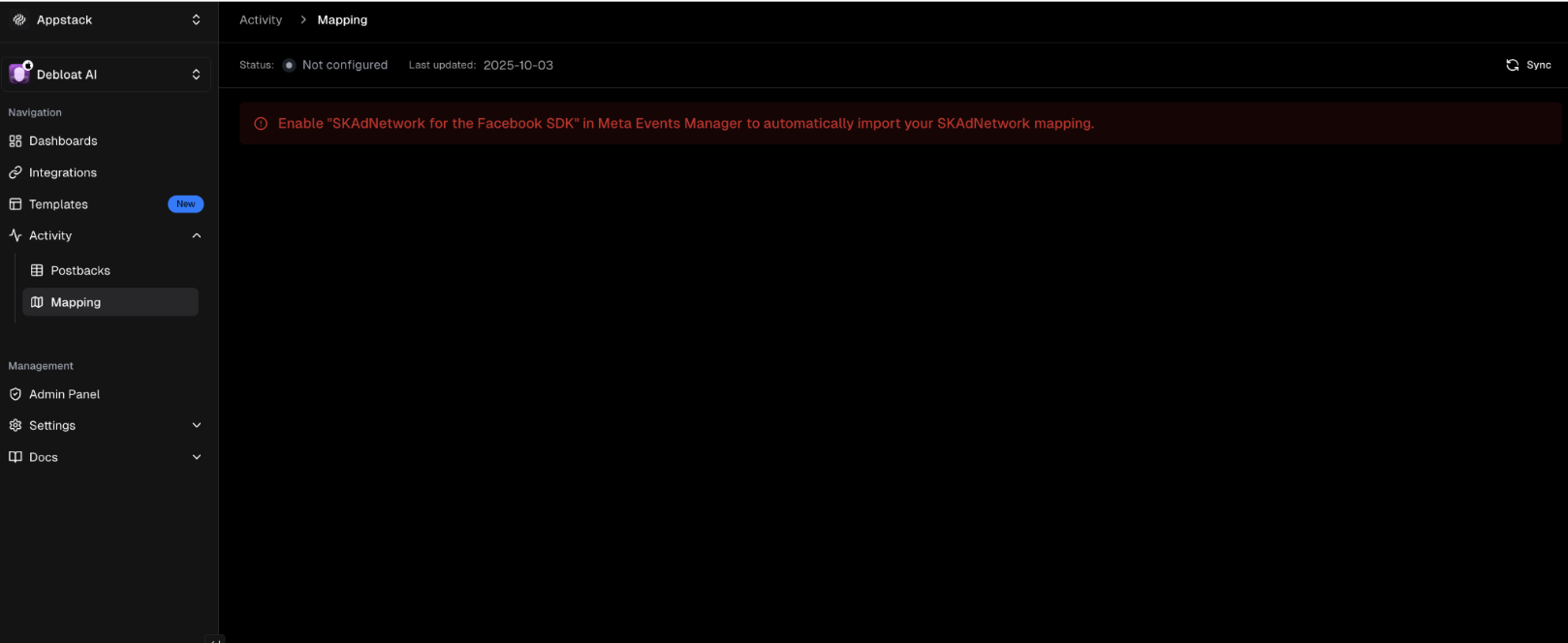
Meta only allows API access to SKAN configurations if you've enabled the correct settings in their dashboard. Until you do this, Appstack will show a blocked state with a Sync button to retry.
You must enable "Use Facebook SDK to Manage SKAdNetwork" in Meta's Event Manager before we can fetch your SKAN configuration.
Steps to Enable SKAN Config in Meta Ads
-
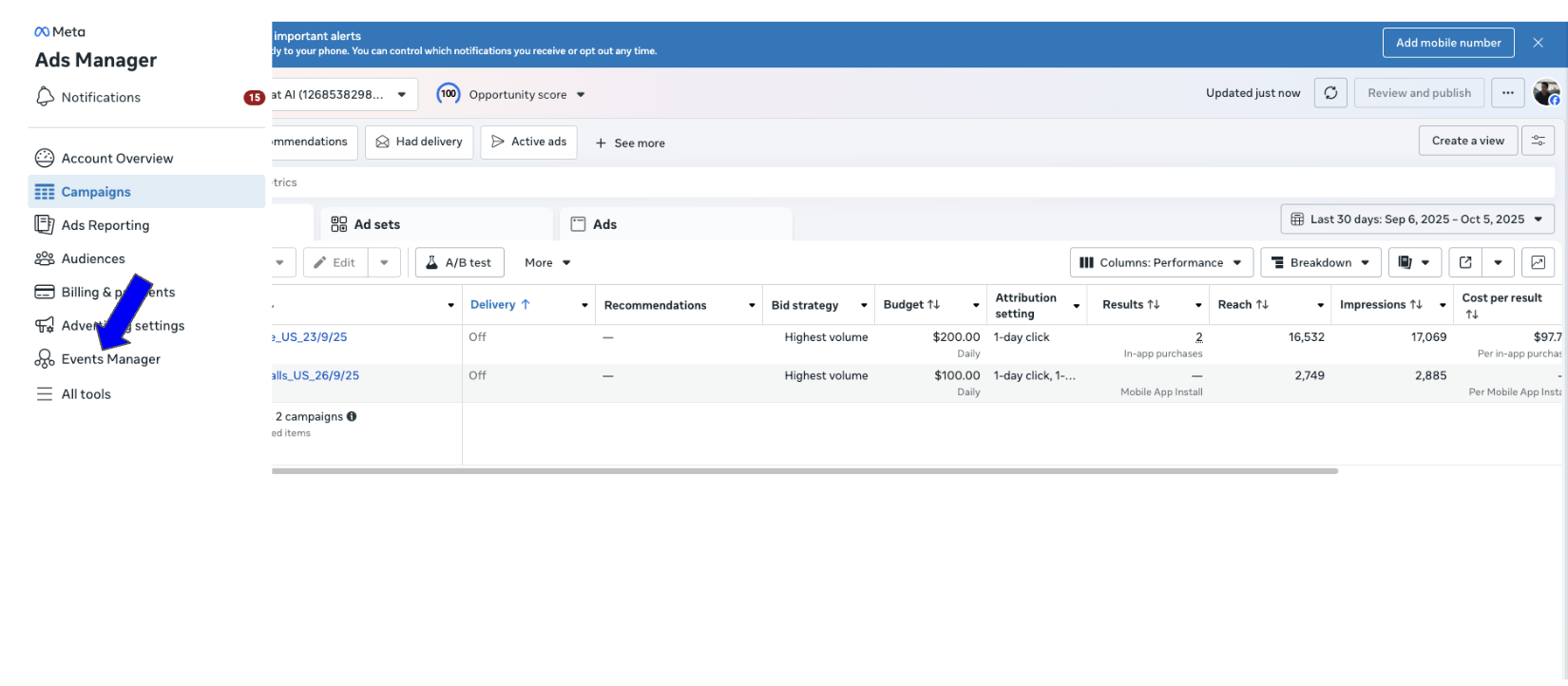
Click Event Manager
-
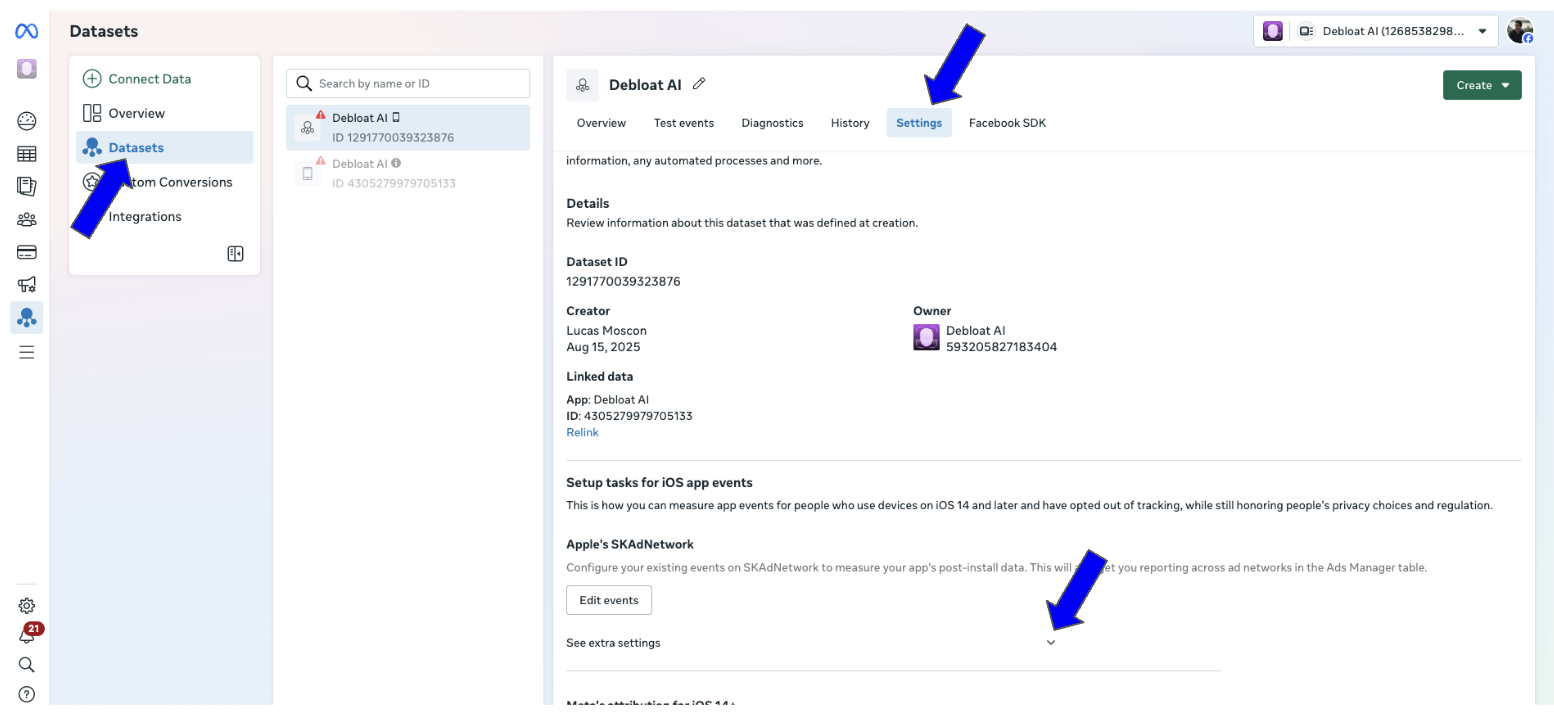
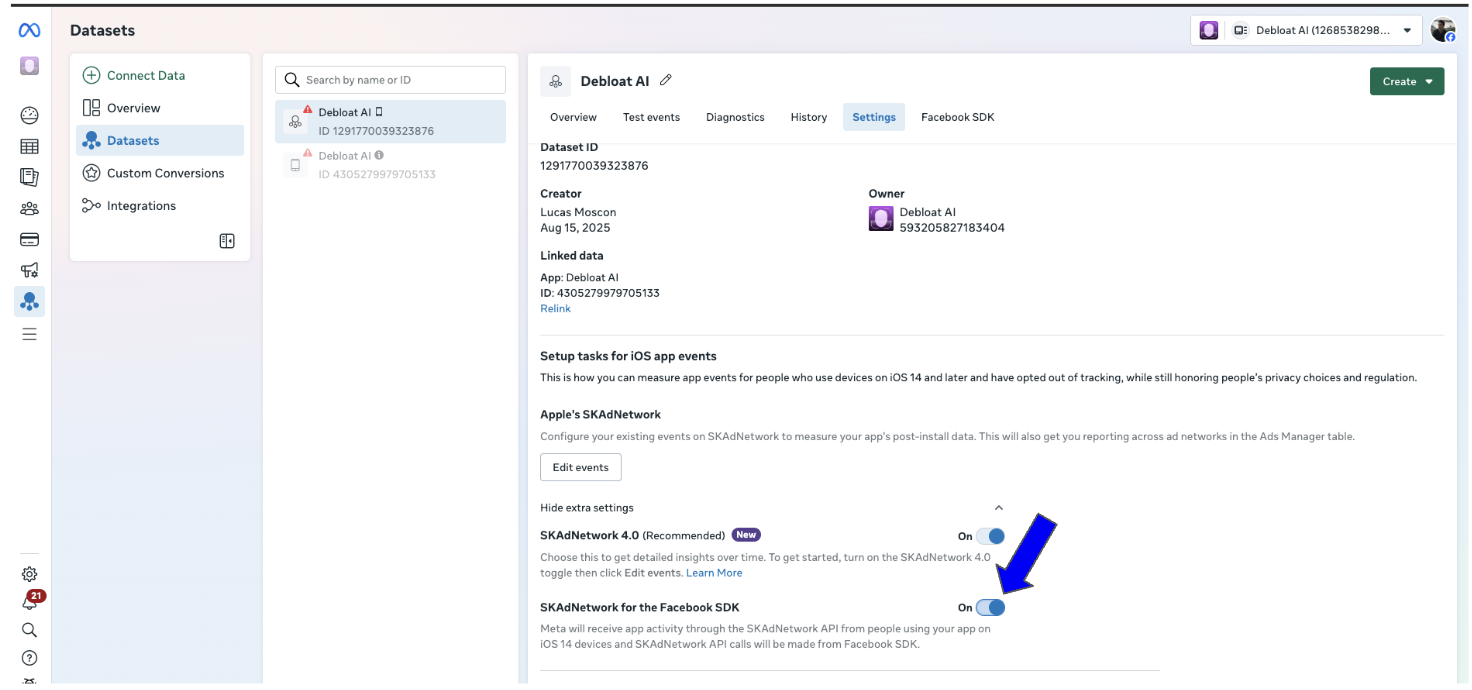
Navigate to Dataset → Settings → See extra settings
-
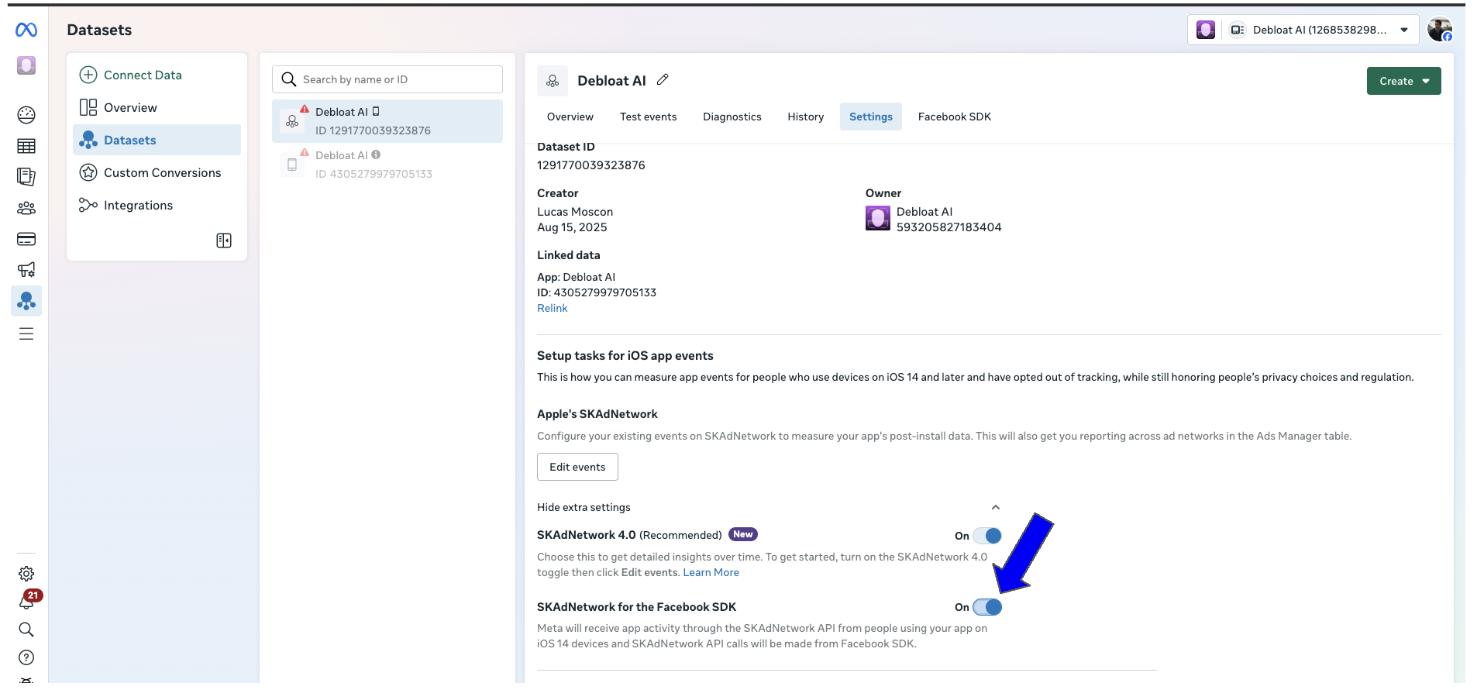
Try to enable the SKAdNetwork toggle
Sometimes it activates immediately:
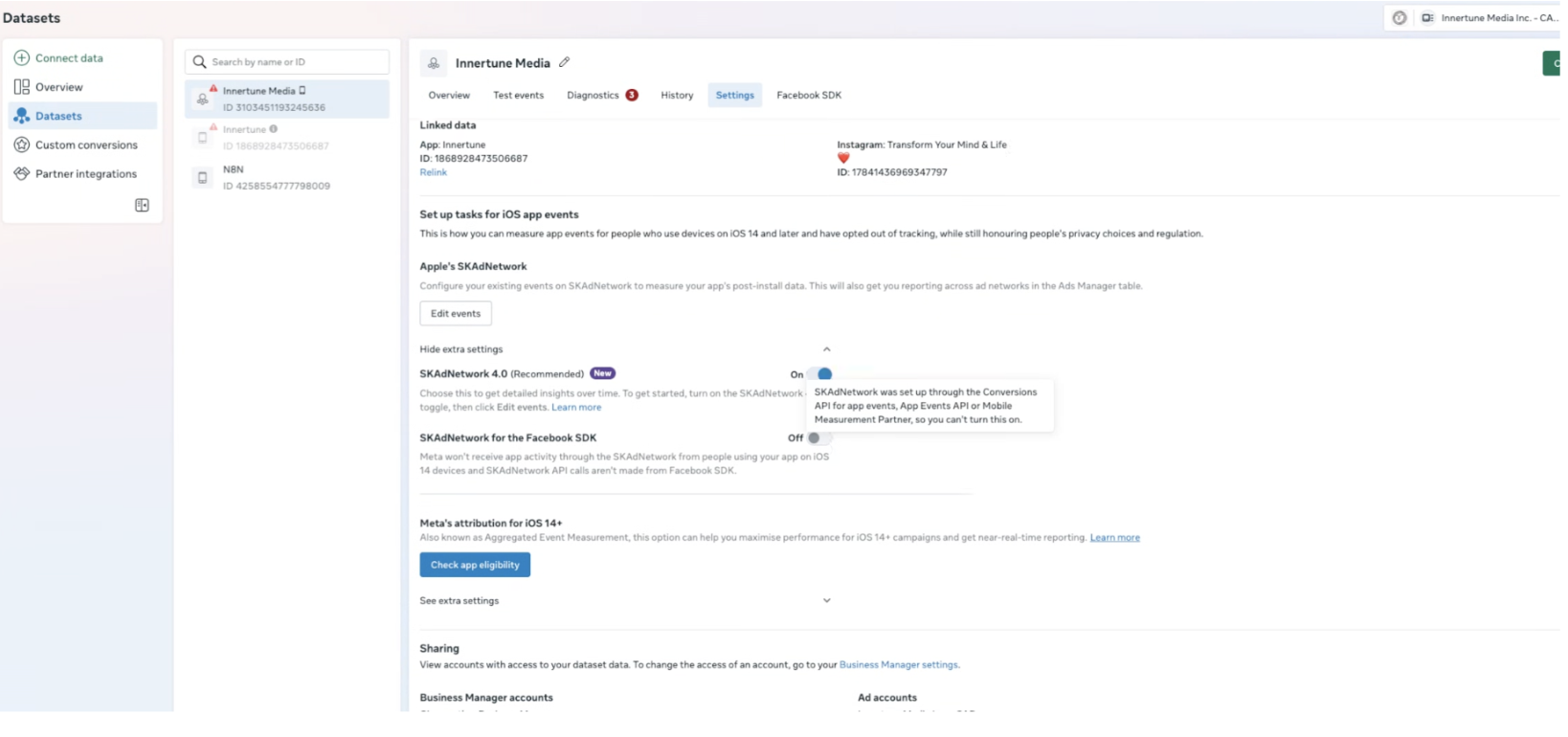
Sometimes the Facebook SDK option is disabled:
-
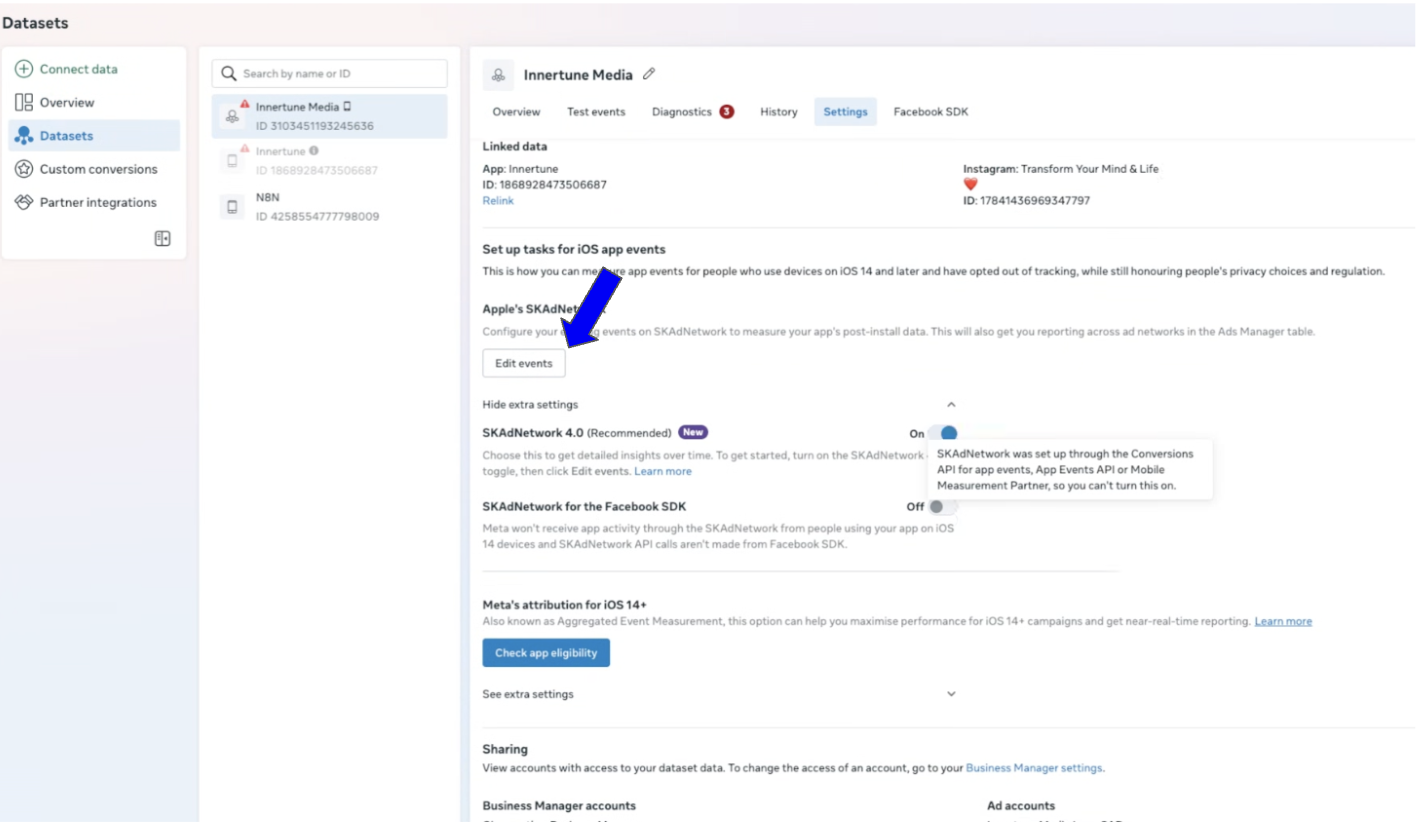
If disabled, click "Edit Events"
-
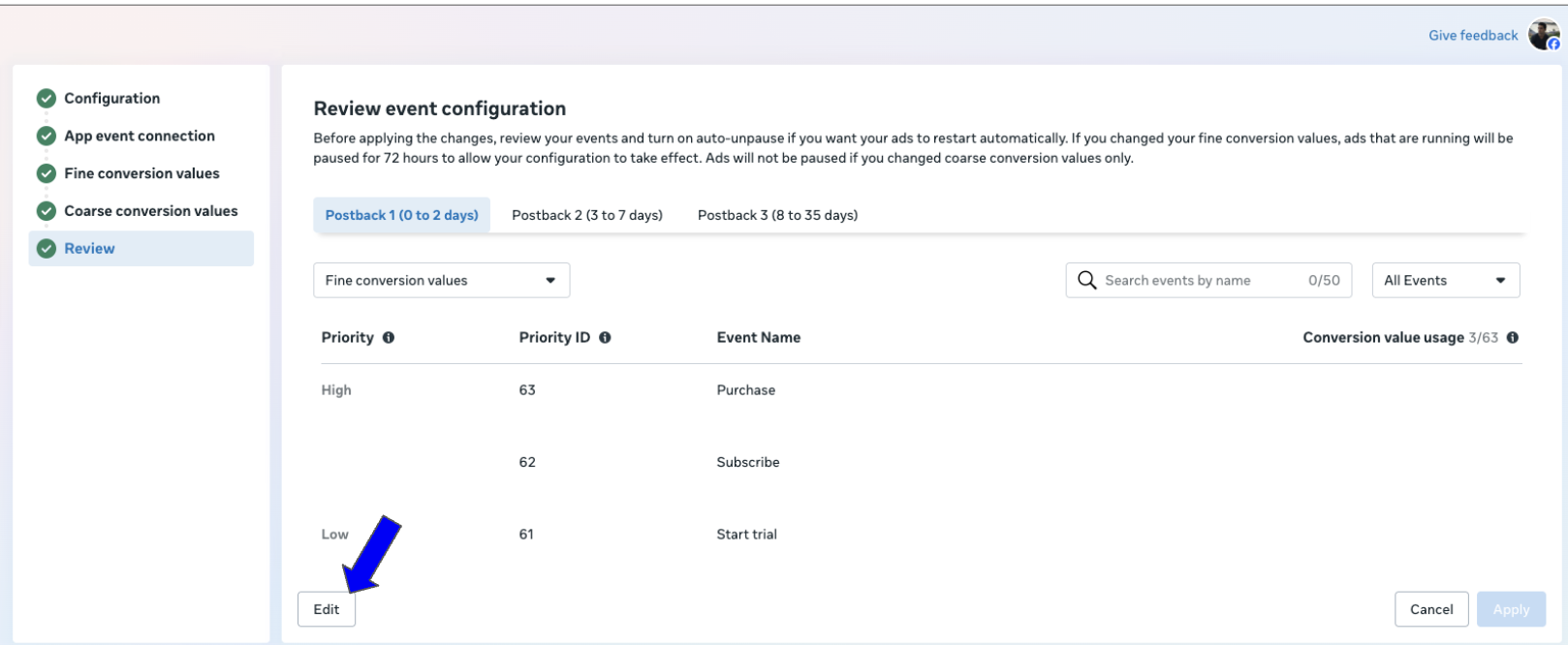
Open the SKAN configurations
-
In the App Event step, select "Use Facebook SDK to Manage SKAdNetwork"
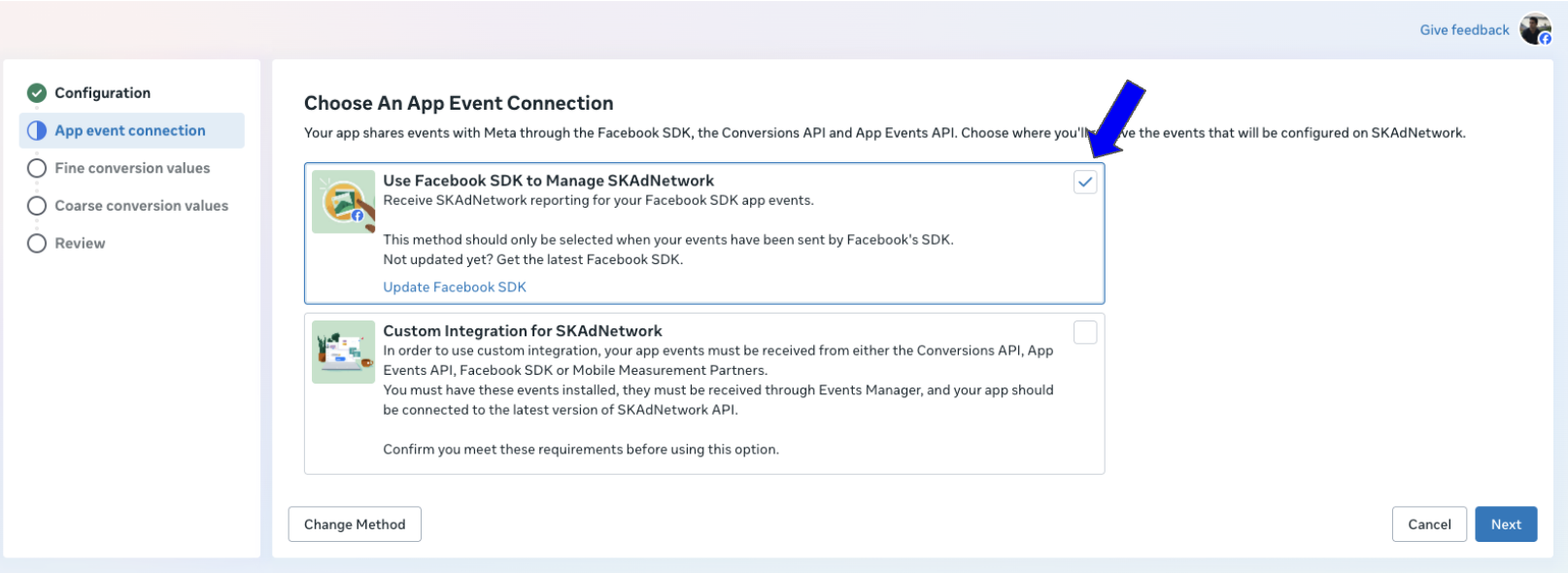
- Go back and toggle the SKAdNetwork setting
After step 6, it may take a few minutes before Meta allows you to toggle the SKAdNetwork setting. Refresh the page to check if it's active.
Once enabled in Meta, click Sync in Appstack to import your configuration.
Google Ads + Meta Ads
When using both networks, Appstack imports configurations from both and validates they're compatible. This is crucial because Google and Meta might interpret the same conversion value differently.
The Compatibility Check
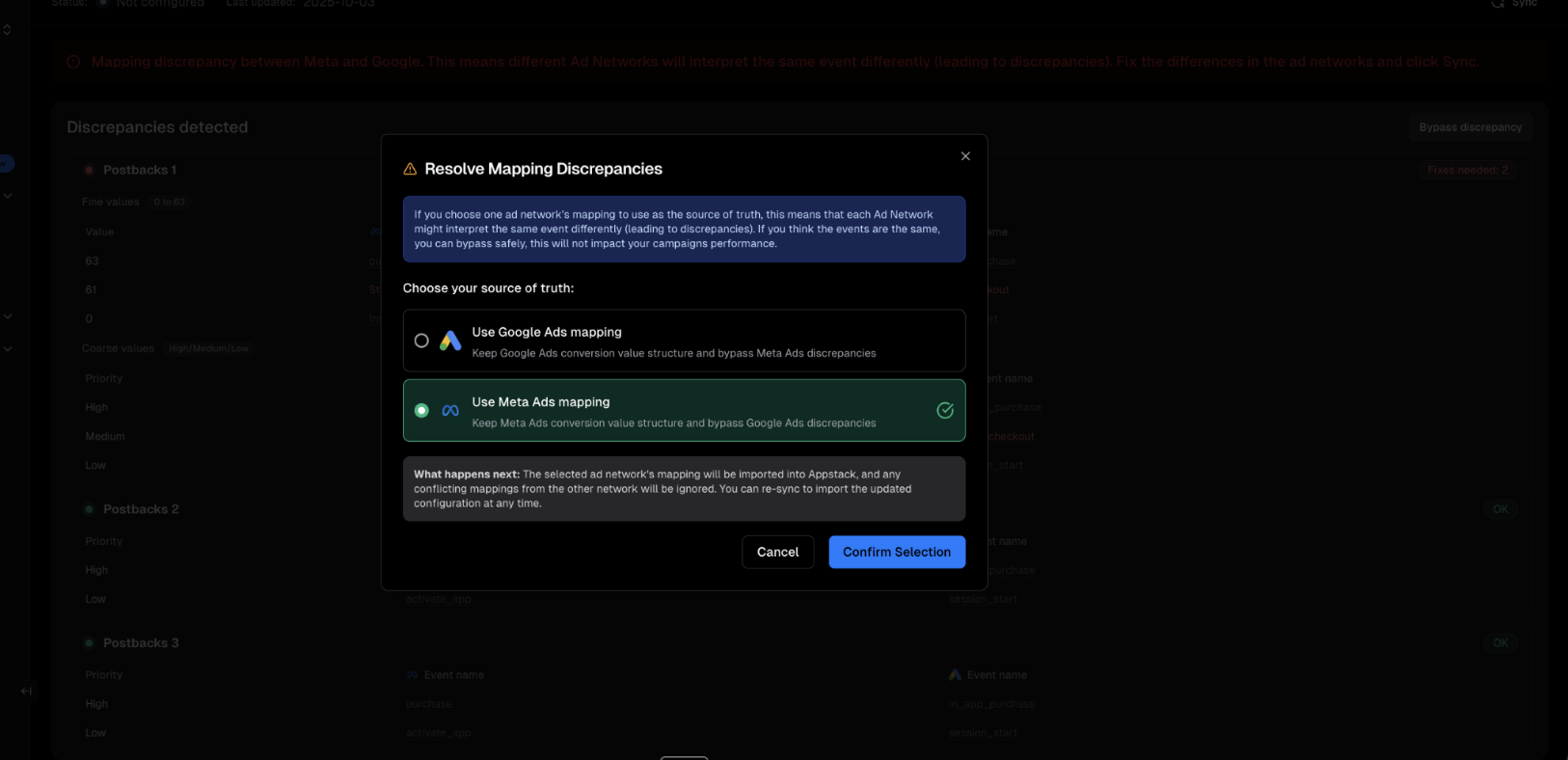
After importing from both networks, Appstack shows you any discrepancies:
Small discrepancies
In the example below, the discrepenency is expected as Google doesn't have a start trial standard event, we decided to use the begin checkout as a start trial event.
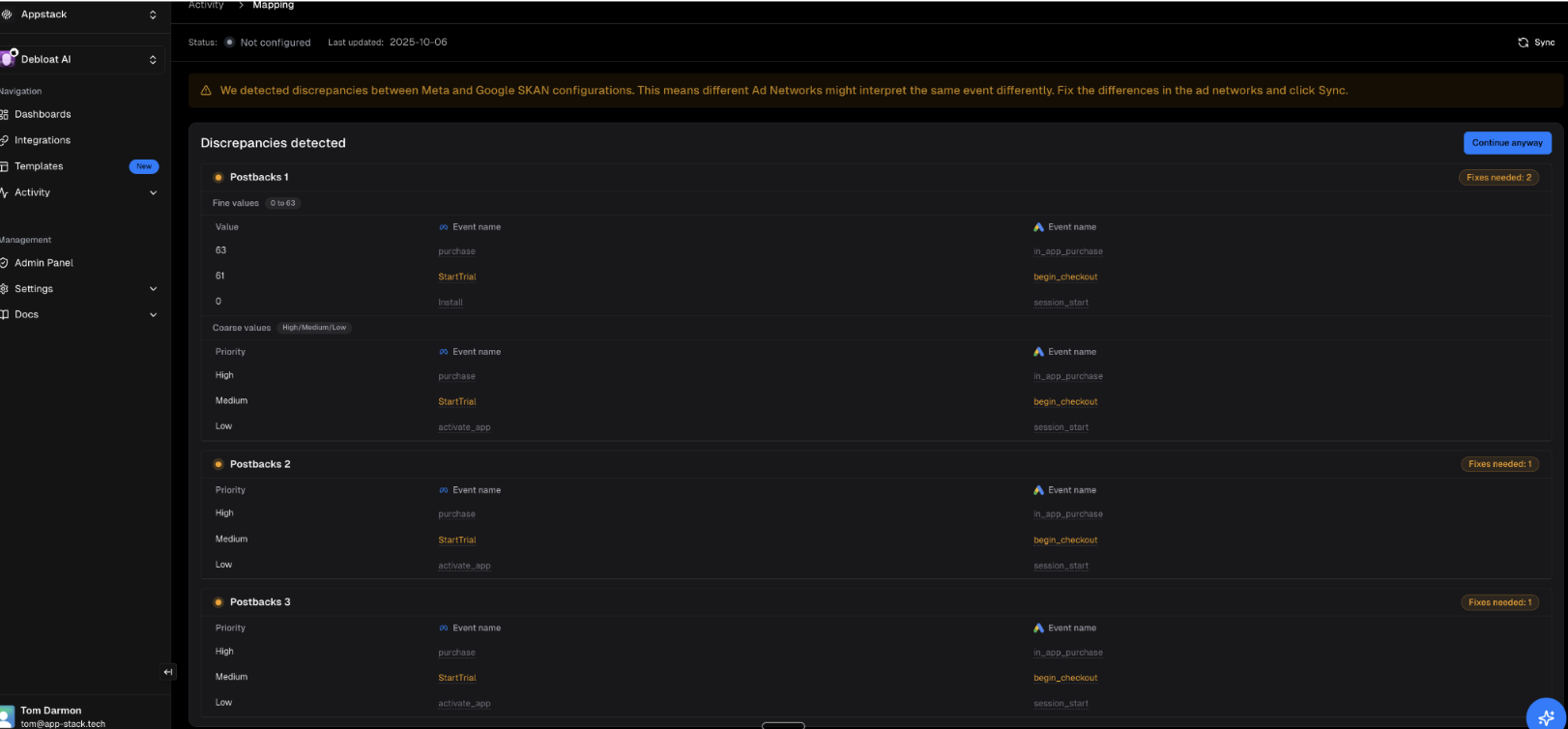
We can click "Continue anyway" and ignore the warnings. We decided to use Meta as the source of truth for the Mapping.
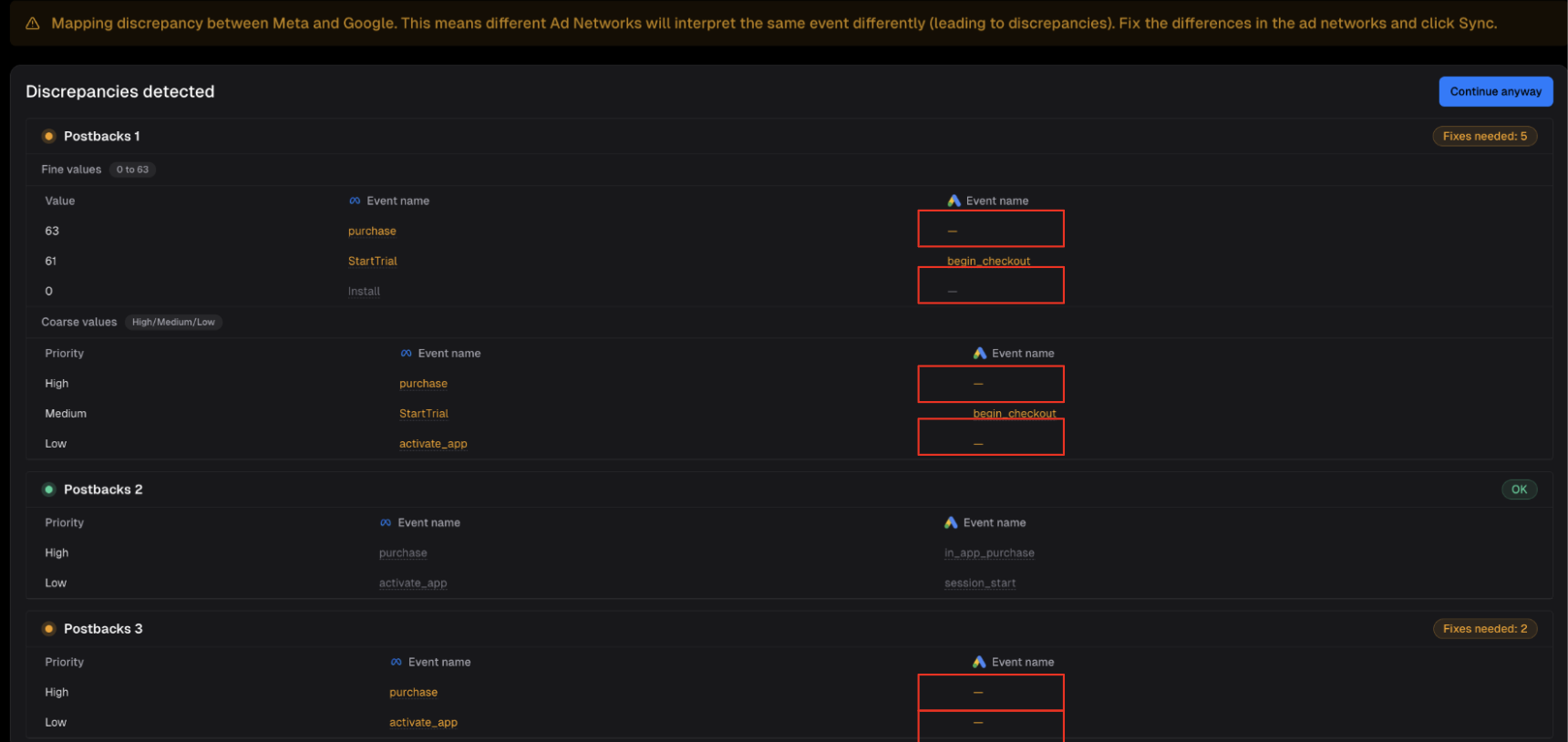
Large discrepancies
Problematic. For example, one network interprets a value as "purchase" while the other sees "install" or can't identify the event at all.
Discrepancies between Google and Meta's SKAN configurations are critical. They result in inconsistent attribution data, leading both networks to optimize campaigns based on incorrect events or overlook valuable signals.
If Google Mapping is Empty
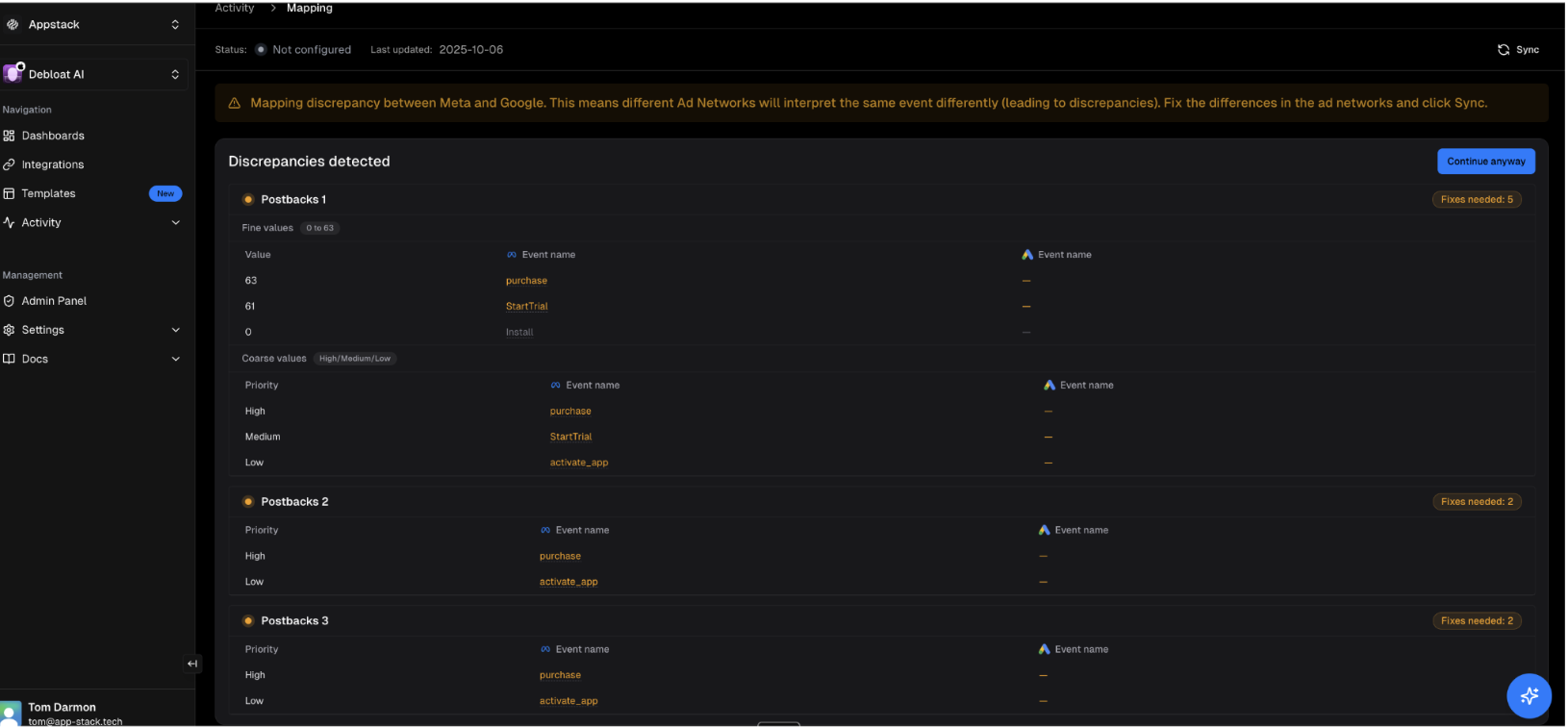
This can happen for one of the following reasons:
- SKAN conversion values in Google Analytics are just empty
- The connected account in the Google integration does not have access to Google Analytics stream for this app
- The Google integration in Appstack was done a long time ago and credentials needs to be refreshed (go to the integration page to check if the status is "Reconnection needed")
Configurations match
While your configurations are compatible, Google and Meta may not support identical SKAN options. To ensure your data consistently reflects the correct configuration, we recommend using the Firebase SDK as the single source of truth for updating SKAN conversion values.
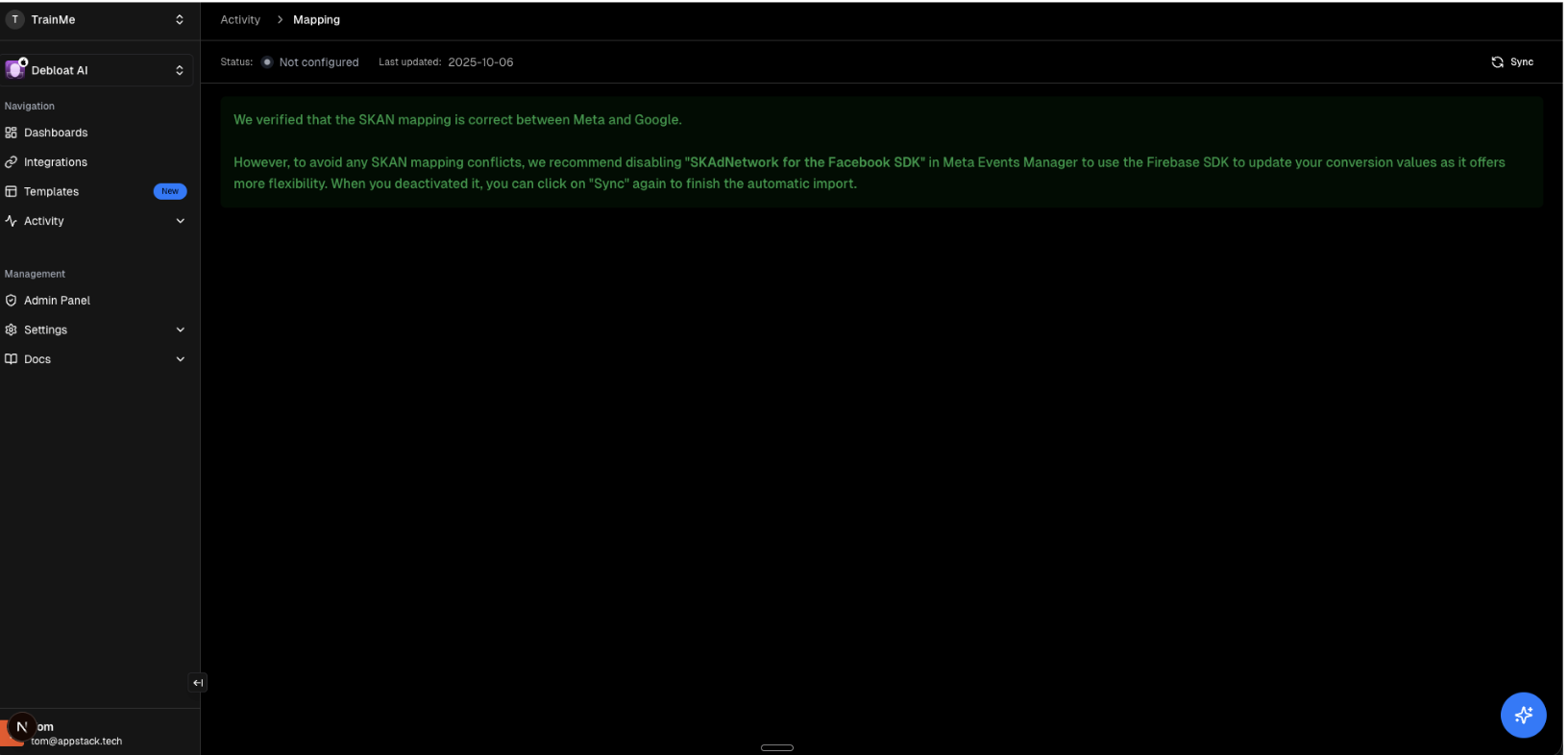
- Disable the SKAdNetwork toggle in Meta's Event Manager so it does not override values. (Go back and untoggle the SKAdNetwork setting)
- Use the Firebase SDK as the single source of truth for writing SKAN conversion values so updates stay consistent across networks.
Note: Google and Meta can support slightly different SKAN options even when mappings look compatible; using one SDK avoids accidental divergence.
TikTok Ads
Until TikTok provides API access, you're responsible for ensuring TikTok's SKAN configuration aligns with your other networks.
TikTok Only
If you only use TikTok, you must manually duplicate your TikTok SKAN configuration into Appstack.
TikTok and Google and / or Meta
If you use TikTok alongside Google or Meta:
- Appstack will import from Google or Meta (ignoring TikTok)
- You must manually verify that your TikTok configuration matches
- If TikTok's configuration differs, it will interpret attribution results differently than Google/Meta
FAQ
Why can't Appstack import from TikTok?
- TikTok doesn't provide API access to SKAN configurations yet. When they do, we'll add automatic import.
What if Google and Meta have different mappings?
- You should align them. Inconsistent mappings mean each network will report different attribution results for the same user actions.
Can I override the imported configuration?
- Generally, no. Appstack uses your ad network's SKAN configuration (from Google Ads or Meta Ads) as the definitive source of truth. This ensures accuracy and helps maximize your campaign performance by preventing discrepancies.
- For TikTok, since there's no API for automatic import, you will manually configure your SKAN mapping in Appstack to match your TikTok setup. This is not an override, but the necessary method for TikTok.
How often should I re-sync?
- Re-sync whenever you update your SKAN configuration in Google or Meta.