

To successfully connect Apple Ads, you must:
- Have admin access to the Apple Ads account associated with the app you want to connect (needed to grant OAuth access)
- Ensure your Apple Ads account has access to the app used within Appstack
Connect to Apple Ads
1
Start the connection in Appstack
- In Appstack, from the side menu, select Integrations > Apple Ads.
- Click Connect to Apple Ads.
2
Sign in to Apple Ads
- Log in with the Apple ID that has admin access to the Apple Ads account for the app you’re connecting.
- If your Apple ID has access to multiple accounts, select the correct account name.
3
Grant access to your campaign group
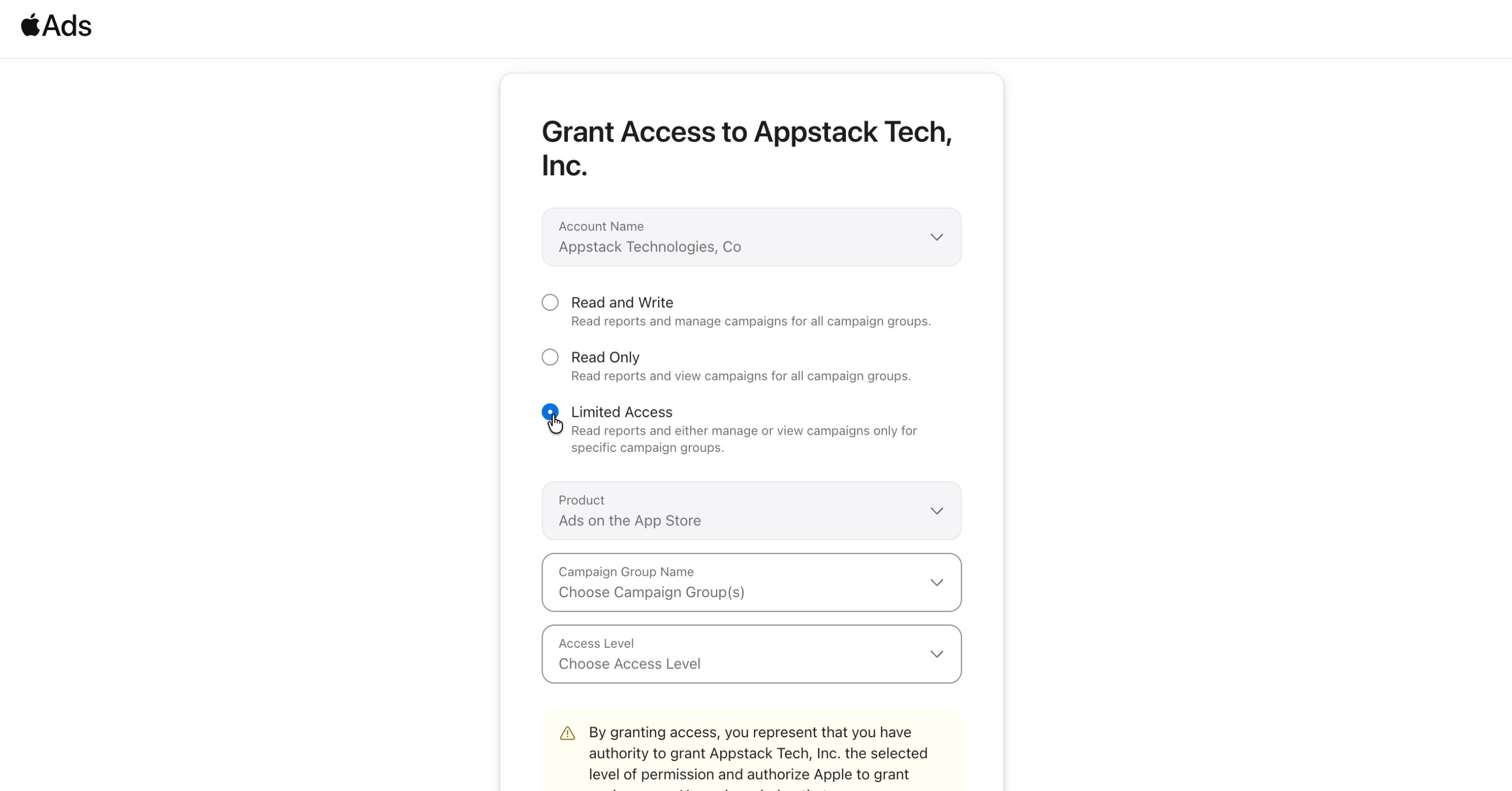
Apple will show a Grant Access to Appstack Tech, Inc. screen. The screenshots below are an example connection, you’ll see your own Account Name and Campaign Group Name instead.
- Select Limited Access.
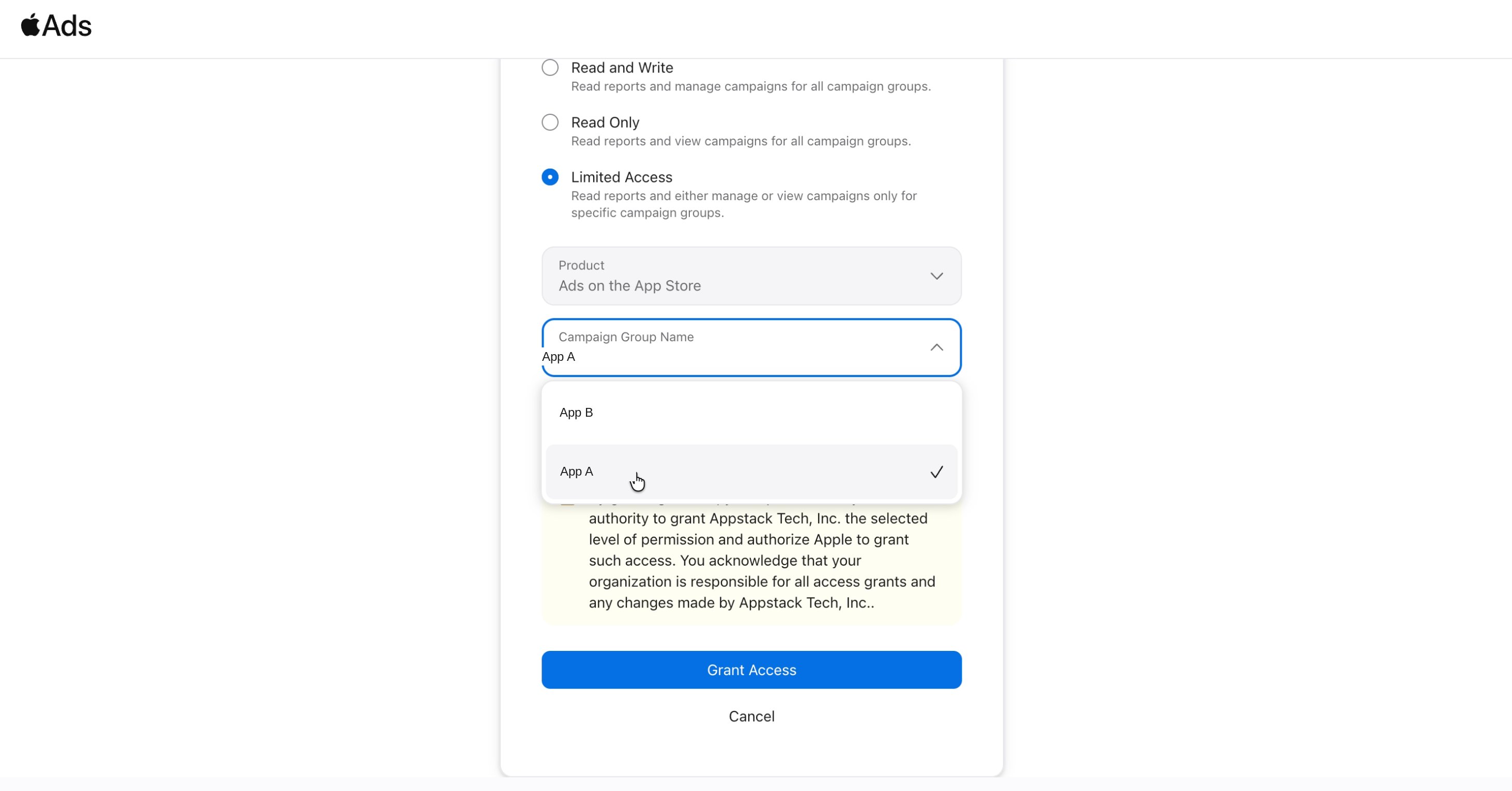
- Select the campaign group name that the app you’re connecting belongs to.
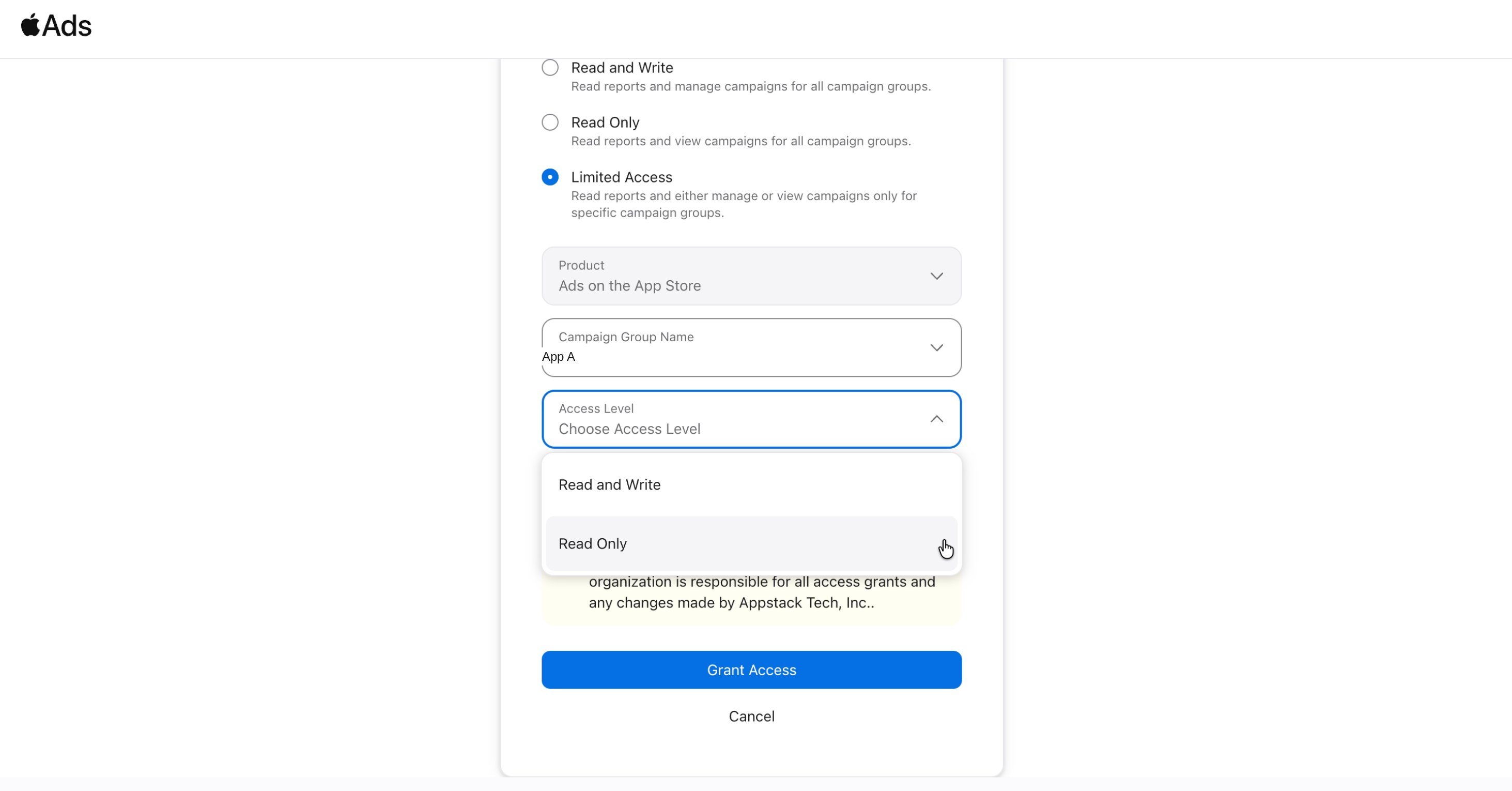
- Under Access Level, select Read Only.
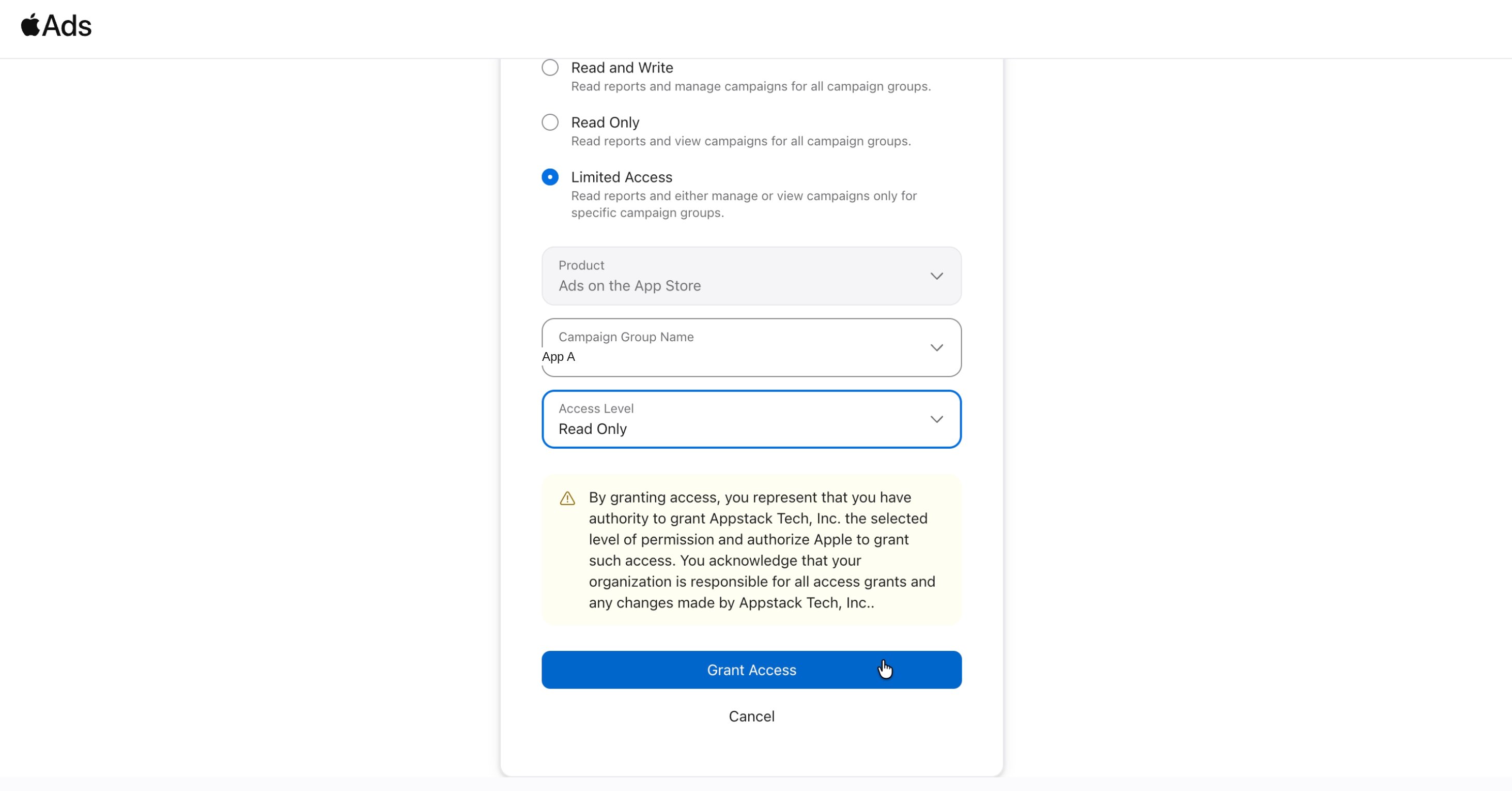
- Click Grant Access.
4
Confirm access
- A confirmation pop-up will appear. Click Grant.
- That’s it. The integration is complete, and Appstack will start pulling data from Apple Ads.
Troubleshooting
General tips
- Make sure you’re logging in with an Apple ID that has admin access to the Apple Ads account, not just read access. Without admin access, you won’t be able to grant OAuth permissions.
- Double check you selected the correct campaign group, the one that matches the app you’re connecting in Appstack.
- Make sure Read Only is selected under Access Level before granting access.
- Ensure your Apple Ads account has access to the app used within Appstack.
- Contact support: If issues persist, reach out to our support team with specific error messages at support@appstack.tech.